 Hack the Hydra
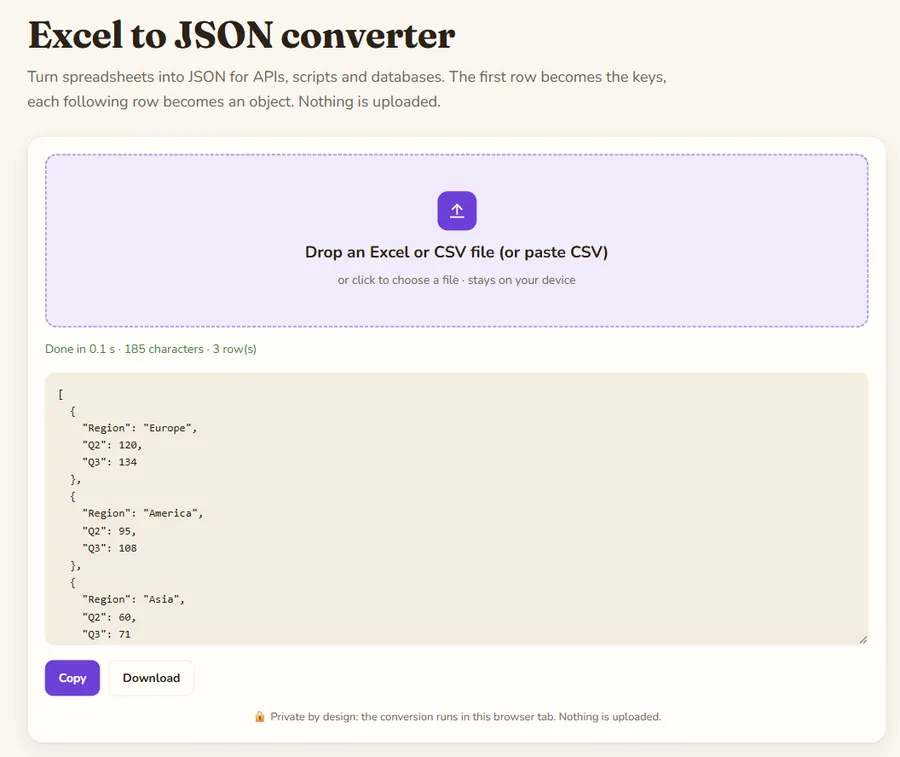
Key facts
| Input formats | XLSX, XLS, CSV, ODS |
|---|---|
| Size limit | 100 MB per file (checked in the browser) |
| Where it runs | In your browser with SheetJS 0.20.3; the file is not uploaded (the library itself is downloaded from a CDN) |
| Cost | Free, no sign-up |
| Output | JSON: an array of row objects for one sheet, an object keyed by sheet name for several sheets; copy or download as .json |
Output shape
A workbook with one sheet gives a JSON array of row objects. With several sheets you get an object keyed by sheet name, each holding its array. Empty cells become null.
Dates and numbers
Values are exported as Excel computed them. Dates come out as Excel serial numbers unless the cell is formatted as text, so check date columns before importing.
Empty cells and headers
The first row of each sheet gives the keys. Empty cells are written as null rather than left out, so every object has the same keys, which makes the JSON easy to load into a database or a pandas DataFrame. Rows that are completely empty are skipped. Rename the header cells before converting if you want keys without spaces or accents.
Example
The same table as JSON: one object per row, the header row gives the keys, and numbers stay numbers.
Input
(CSV file, also works with .xlsx)
Region,Q1,Q2
North,120,135
South,98,110
Output
[
  {
    "Region": "North",
    "Q1": 120,
    "Q2": 135
  },
  {
    "Region": "South",
    "Q1": 98,
    "Q2": 110
  }
]