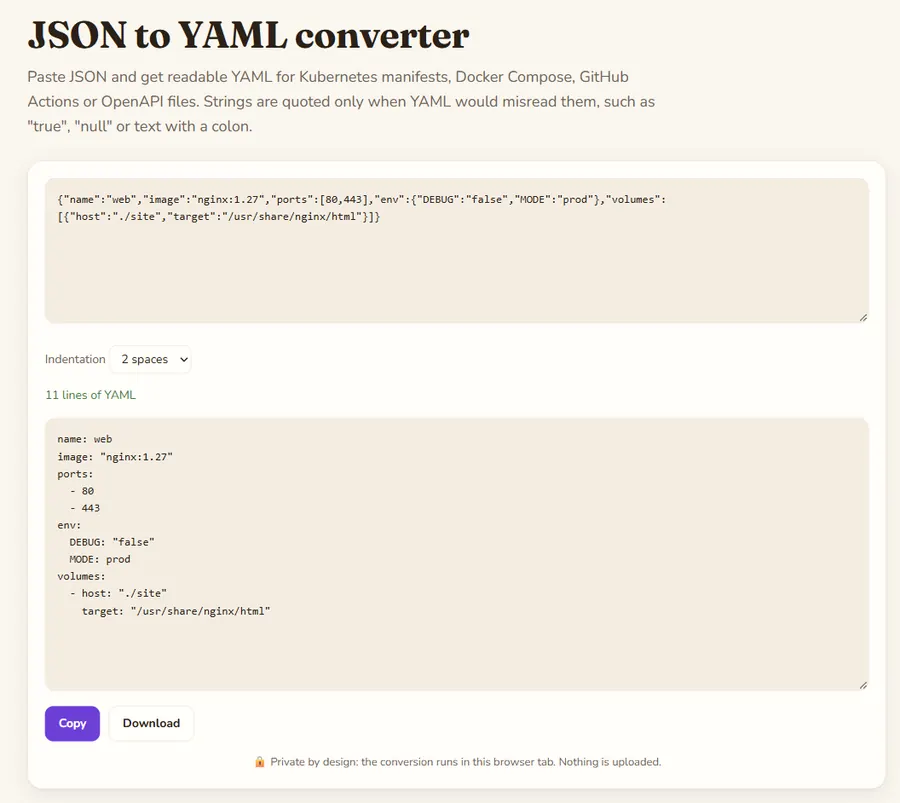
Paste JSON and get readable YAML for Kubernetes manifests, Docker Compose, GitHub Actions or OpenAPI files. Strings are quoted only when YAML would misread them, such as "true", "null" or text with a colon.
JSON to YAML converter is a free online tool by Hack the Hydra. Convert JSON to YAML online. Choose 2 or 4 space indentation, strings are quoted only when needed. Ready for Kubernetes, Docker Compose and CI configs. Runs in your browser.
When you need it
Many tools accept both formats, but configuration files are usually written in YAML because it is easier to read and allows comments. If you have an API response, a package manifest or a generated config in JSON, converting it gives you a file you can edit by hand and commit.
How values are written
Numbers and booleans stay unquoted. The strings "true", "false", "null", "yes" and "no" are quoted, because YAML 1.1 parsers would otherwise turn them into booleans or null. Strings containing a colon, a hash sign, leading spaces or other special characters are written in double quotes using JSON escaping, which is valid YAML. Empty objects and arrays become {} and [].
Limits
JSON has no comments, so none appear in the output. Multi-line strings are written on one line with \n escapes rather than block scalars, which is always correct but less pretty. Always check the result with your own tool (for example kubectl apply --dry-run) before deploying.
Example
Nested JSON converted to YAML with two-space indentation.
Input
{"name":"Ada","skills":["math","code"],"address":{"city":"London"}}Output
name: Ada
skills:
  - math
  - code
address:
  city: London
How to use
- Type or paste your text in the box above.
- The result updates as you type; change the options to switch mode.
- Copy the result or download it.
FAQ
Is my JSON uploaded?
No. The conversion is done by JavaScript in your browser tab and nothing is sent anywhere, so it is safe for configs that contain internal names.
Why is "true" in quotes in the YAML output?
Because it was a string in your JSON. Without quotes, YAML would read it as a boolean, which changes the meaning.
Can I convert YAML back to JSON?
Yes, use the YAML to JSON converter on this site. It also reads files with several --- documents.
Is the output valid for Kubernetes and Docker Compose?
Yes, the output is standard YAML. Both tools read it as long as your JSON already had the right structure.
Guides
 Hack the Hydra