 Hack the Hydra
YAML vs JSON
JSON is a strict, minimal data format that every language parses the same way, which makes it the default for APIs and data exchange. YAML describes the same data (objects, lists, strings, numbers, booleans, null) with indentation instead of brackets and allows comments, which makes it easier to write by hand for configuration files. Every JSON document is also valid YAML 1.2, but YAML has more ways to go wrong: indentation errors, values silently turned into booleans or dates, and unsafe loaders.
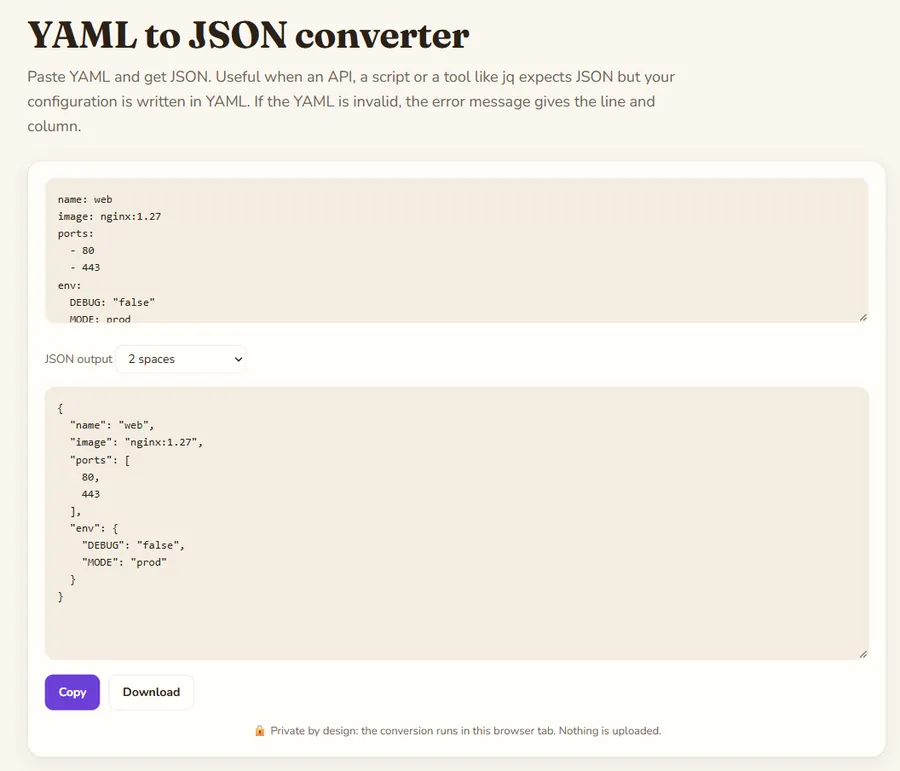
The same data in both formats
A small service configuration in JSON:
{
  "name": "web",
  "replicas": 2,
  "ports": [80, 443],
  "env": {"DEBUG": "false"}
}
The same thing in YAML:
# web front end
name: web
replicas: 2
ports:
  - 80
  - 443
env:
  DEBUG: "false"
YAML drops the braces, brackets, commas and most quotes, and adds a comment. Structure comes from indentation with spaces; tabs are not allowed for indentation.
Side by side
| JSON | YAML | |
|---|---|---|
| Comments | No | Yes (#) |
| Structure | Braces and brackets | Indentation (spaces only) |
| Quotes on strings | Always | Usually optional |
| Several documents per file | No | Yes (separated by ---) |
| Reuse a block | No | Anchors and aliases (&name, *name) |
| Dates | No type, use strings | Some parsers turn 2026-11-10 into a date |
| Parsing | Simple, identical everywhere | Complex, versions 1.1 and 1.2 differ |
| Typical use | APIs, data exchange, package.json, browser storage | Kubernetes, Docker Compose, GitHub Actions, Ansible, OpenAPI files |
What are the YAML pitfalls?
- Implicit booleans. In YAML 1.1 parsers, unquoted yes, no, on and off become true or false. The classic example is a list of country codes where NO (Norway) turns into false. Quote such values: "NO".
- Numbers that are not numbers. A version like 1.10 becomes the number 1.1, and a zip code like 01234 may lose its leading zero or be read as octal. Quote anything that is really an identifier.
- Indentation. One space too many moves a key into the wrong parent without any error. Use an editor that shows indentation, and validate the file.
- Unsafe loaders. Some YAML libraries can build arbitrary objects from tags, which has led to remote code execution bugs. Use the safe loading function of your library (for example yaml.safe_load in Python); js-yaml 4 is safe by default.
Which one should you choose?
- Machine to machine (API responses, message queues, logs): JSON. It is smaller to parse, unambiguous and supported natively by browsers.
- Files people edit (deployment configs, CI pipelines): YAML, for comments and readability, but quote ambiguous values and validate in CI.
- The tool decides in most cases: Kubernetes accepts both, GitHub Actions only YAML, package.json only JSON.
Converting between the two is lossless for the data itself; only YAML comments, anchors and document separators have no JSON equivalent.
Validate before you deploy
Whichever format you write, check it in CI: a JSON file is invalid if any comma or quote is missing, and a YAML file can be valid yet mean something else than you intended. Converting a YAML config to JSON and reading the result is a quick way to see exactly which values became strings, numbers, booleans or null.
FAQ
Is JSON valid YAML?
Yes for YAML 1.2: a JSON document can be read by a YAML 1.2 parser. Older YAML 1.1 parsers handle almost all JSON too, with rare edge cases.
Is YAML slower than JSON?
Parsing YAML is usually slower because the grammar is much larger. For configuration files this does not matter; for high-volume data exchange JSON is the better choice.
Can I add comments to a JSON file?
Not in standard JSON. Some tools accept JSONC or JSON5, which allow comments, but a strict JSON parser will reject them. If you need comments, YAML or a separate README is the safer option.
How do I convert YAML to JSON?
Paste the YAML into the YAML to JSON converter on this site; the JSON to YAML converter does the opposite. Both run in your browser.
Last updated: November 2026. Facts about third-party tools come from their public repositories and documentation. Check licenses before commercial use.