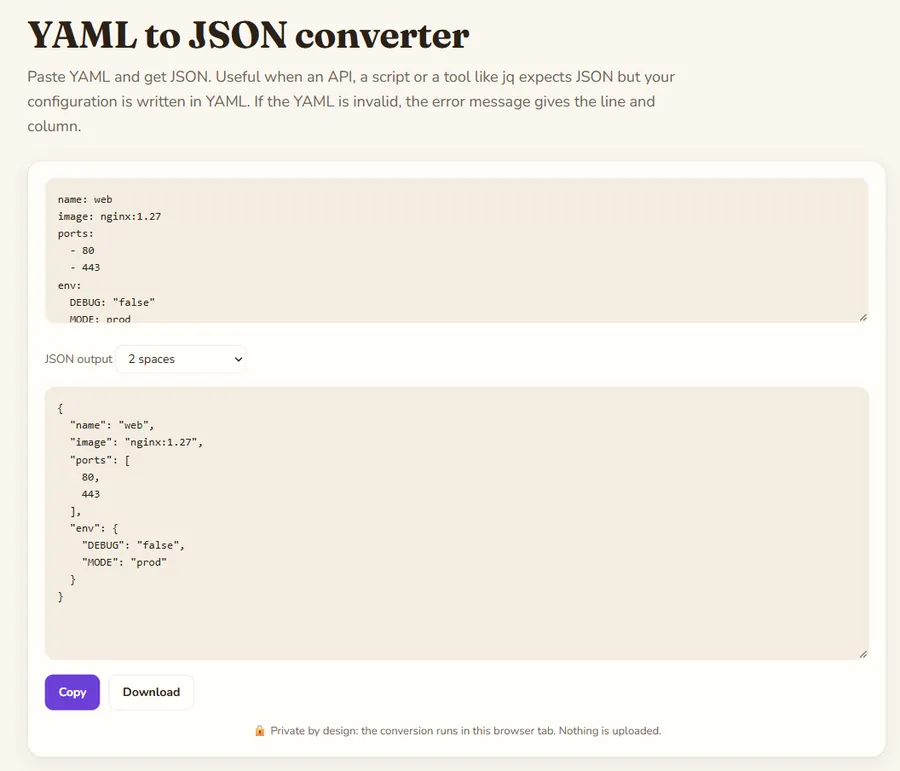
Paste YAML and get JSON. Useful when an API, a script or a tool like jq expects JSON but your configuration is written in YAML. If the YAML is invalid, the error message gives the line and column.
YAML to JSON converter is a free online tool by Hack the Hydra. Convert YAML to JSON online: Kubernetes manifests, Docker Compose, GitHub Actions, OpenAPI. Pretty or minified output, multi-document YAML supported, errors shown with line and column. Runs in your browser.
How values are converted
YAML mappings become JSON objects and sequences become arrays. Unquoted numbers, true, false and null become JSON numbers, booleans and null; anything in quotes stays a string, so DEBUG: "false" gives "false" as text. Dates written as 2026-11-10 become ISO date strings, because JSON has no date type.
Several documents in one file
A YAML file can hold several documents separated by a line with three dashes (---), as in many Kubernetes files. When there is more than one document, the result is a JSON array with one element per document, in order.
What is lost
JSON has no comments, so YAML comments are dropped. Anchors and aliases (&name and *name) are expanded into full copies of the data. Custom tags such as !Ref in CloudFormation are not supported and give an error: the parser only accepts standard YAML types, which is also what keeps it safe.
Example
A small Docker-style config. Quoted "false" stays a string, unquoted numbers stay numbers.
Input
name: web
image: nginx:1.27
ports:
  - 80
  - 443
env:
  DEBUG: "false"
  MODE: prod
Output
{
  "name": "web",
  "image": "nginx:1.27",
  "ports": [
    80,
    443
  ],
  "env": {
    "DEBUG": "false",
    "MODE": "prod"
  }
}
How to use
- Type or paste your text in the box above.
- The result updates as you type; change the options to switch mode.
- Copy the result or download it.
FAQ
Is my YAML uploaded?
No. The YAML is parsed by JavaScript in your browser tab with the open-source js-yaml library, so configs that contain internal names or hostnames never leave your computer.
Why do I get an error about indentation?
YAML uses spaces for structure and does not allow tabs for indentation. Check the line and column in the message: usually an item is indented one space too much or too little.
Does it support CloudFormation tags like !Ref or !Sub?
No. Only standard YAML is accepted. Replace short tags with their full form, for example {"Ref": "MyBucket"}, or use the AWS CLI.
Can I convert JSON back to YAML?
Yes, use the JSON to YAML converter on this site.
Guides
 Hack the Hydra