Hack the Hydra

Split PDF: extract pages

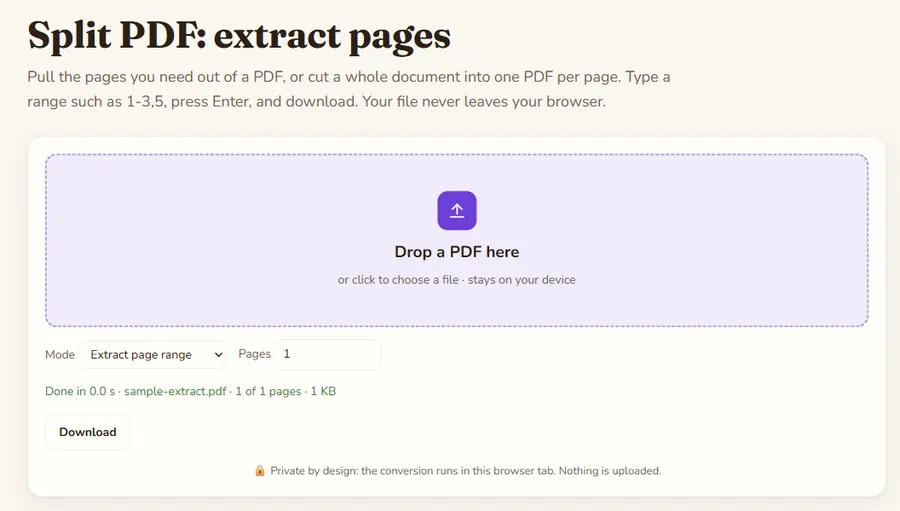
Pull the pages you need out of a PDF, or cut a whole document into one PDF per page. Type a range such as 1-3,5, press Enter, and download. Your file never leaves your browser.

🔒 Private by design: the conversion runs in this browser tab. Nothing is uploaded.

Split PDF: extract pages is a free online tool by Hack the Hydra. Extract a page range like 1-3,5 from a PDF, or split every page into its own PDF (zip). Free, runs in your browser, no upload, no sign-up.

100% freeNo upload: runs in your browserNo sign-up
Split PDF: extract pages: the tool with a sample file converted

Key facts

Input formatsPDF (password-protected PDFs are not opened)
Size limit100 MB per file (checked in the browser)
Where it runsIn your browser with pdf-lib 1.17.1; the file is not uploaded (the library itself is downloaded from a CDN)
CostFree, no sign-up
OutputA PDF with the pages you pick (for example 1-3,5), or one PDF per page in a zip

Page range syntax

Write single pages and ranges separated by commas: 1-3,5 gives pages 1, 2, 3 and 5 in a new PDF, in that order. 7 alone extracts the seventh page. The range is checked against the document, so an out-of-range number shows a clear error instead of a broken file.

Split every page

Choose "Split every page" to get one PDF per page, packed into a single zip file named after your document: report-page-1.pdf, report-page-2.pdf and so on. That is handy for separating scanned invoices or forms that were scanned as one long file.

Private and lossless

Pages are copied, not re-rendered, so text stays searchable and image quality is unchanged. The work is done by pdf-lib inside your browser, and zips are built with JSZip, so no document is uploaded anywhere.

How to use

  1. Drop your file(s) in the box above, or click to pick them.
  2. The result is built locally in a second or two.
  3. Click Download to save it.

FAQ

How do I extract only some pages from a PDF?

Keep the mode on "Extract page range", type the pages (for example 2-4,9) in the Pages box and press Enter. Download the new PDF.

Can I split a PDF into single pages?

Yes. Pick "Split every page (zip)". You get a zip with one PDF per page.

Does splitting reduce quality?

No. Pages are copied unchanged, so text, fonts and images stay identical.

Can I reorder pages with this?

The pages come out in the order you type them, so 3,1,2 produces a PDF with page 3 first.

Is my PDF uploaded?

No. Everything runs locally in your browser.

Guides

More free converters

PDF to Markdown converterOCR PDF: scanned PDF to textImage to text (OCR)Word (DOCX) to Markdown converterExcel & CSV to Markdown tablesHTML to Markdown converterPowerPoint (PPTX) to Markdown converterJSON to Markdown tablePDF to text converterExcel to JSON converterMarkdown to HTML converterMerge PDF filesRotate PDFJPG to PDF converterPDF to JPG converterImage converter: PNG, JPG, WebPCompress image: JPG and WebPQR code generatorWord counterCase converterJSON formatter and validatorBase64 encode and decodeURL encoder and decoderUUID v4 generatorStrong password generatorLorem ipsum generatorJSON to CSV converterRemove duplicate linesUnix timestamp converterJSON to YAML converterText diff checkerImage resizerPercentage calculatorAge calculatorHash generator (SHA-256, SHA-1, SHA-512)Color converter: HEX, RGB, HSLDays between dates calculatorYAML to JSON converterUnit converterJWT decoderBinary, hex, decimal and octal converterRoman numeral converterRegex testerCron expression explainerPDF to Markdown for ChatGPTPDF to Markdown for ClaudePDF to Markdown for RAG pipelinesPDF to Markdown for ObsidianPDF to Notion (via Markdown)Screenshot to textFrench OCR: image to textCSV to Markdown tableGoogle Docs to MarkdownJPG / JPEG to text (OCR)PNG to text (OCR)CSV to JSON converterPNG to JPG converterJPG to PNG converterWebP to PNG converter