Hack the Hydra

Word counter

Paste or type your text to count words, characters, sentences and paragraphs and to estimate reading and speaking time. It updates as you type and your text stays in your browser.

🔒 Private by design: the conversion runs in this browser tab. Nothing is uploaded.

Word counter is a free online tool by Hack the Hydra. Count words, characters with and without spaces, sentences and paragraphs, and see reading time. Free, instant, private: nothing leaves your browser.

100% freeNo upload: runs in your browserNo sign-up
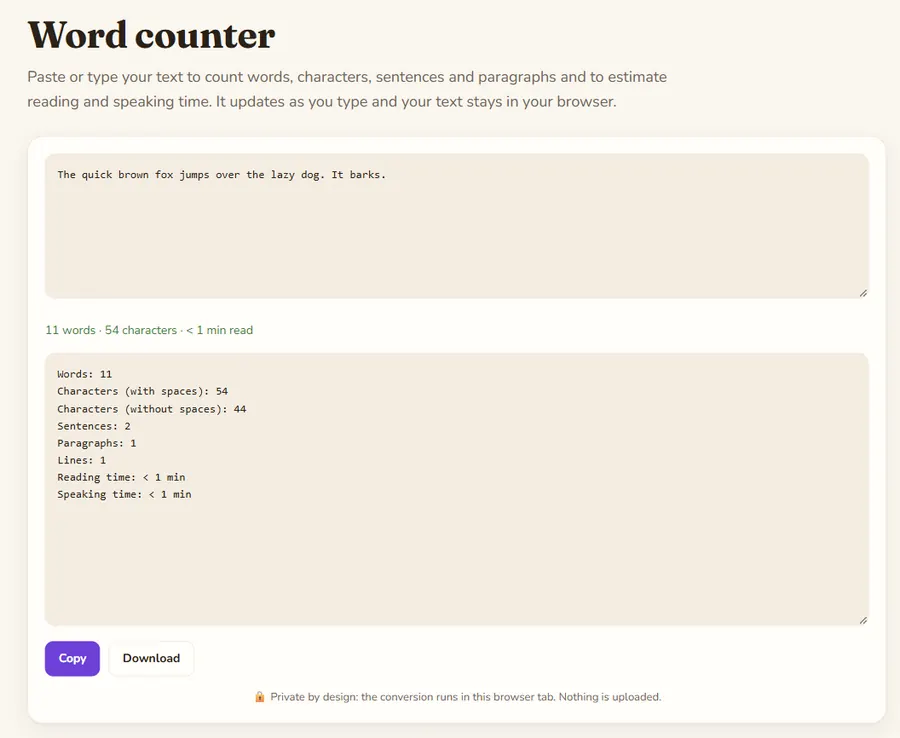
Word counter: the tool with a sample file converted

What is counted

Words are runs of characters separated by whitespace, so "well-known" is one word and "e-mail" is one word. Characters are counted as visible symbols, which means an emoji or an accented letter counts once. Sentences end at a period, question mark, exclamation mark or ellipsis; paragraphs are blocks separated by a blank line.

Reading and speaking time

Reading time assumes 238 words per minute, a commonly cited average for silent reading of non-fiction by adults. Speaking time assumes 150 words per minute, a comfortable pace for a presentation or voice-over. Treat both as estimates: technical text reads slower, and everyone speaks at their own speed.

Typical limits to check against

Meta descriptions work best under about 155 characters, X (Twitter) posts allow 280, SMS segments hold 160 and many application forms cap essays by words or characters with spaces. Use the character counts here to check before you submit; different sites may count line breaks differently, so leave a small margin.

Example

Counting a two-sentence text.

Input

The quick brown fox jumps over the lazy dog. It barks.

Output

Words: 11
Characters (with spaces): 54
Characters (without spaces): 44
Sentences: 2
Paragraphs: 1
Lines: 1
Reading time: < 1 min

How to use

  1. Type or paste your text in the box above.
  2. The result updates as you type; change the options to switch mode.
  3. Copy the result or download it.

FAQ

Are my words stored or sent anywhere?

No. The counting is done by JavaScript in your browser. The text is not uploaded, logged or saved.

Do you count characters with or without spaces?

Both. The result lists "with spaces" and "without spaces" separately.

Does it work for Chinese, Japanese or Korean?

Characters are counted correctly, but these languages do not separate words with spaces, so the word count will be much lower than the real number of words. Use the character count instead.

Is there a length limit?

No fixed limit. Very large texts (millions of characters) may make the page slower because everything is processed on your own device.

More free converters

PDF to Markdown converterOCR PDF: scanned PDF to textImage to text (OCR)Word (DOCX) to Markdown converterExcel & CSV to Markdown tablesHTML to Markdown converterPowerPoint (PPTX) to Markdown converterJSON to Markdown tablePDF to text converterExcel to JSON converterMarkdown to HTML converterMerge PDF filesSplit PDF: extract pagesRotate PDFJPG to PDF converterPDF to JPG converterImage converter: PNG, JPG, WebPCompress image: JPG and WebPQR code generatorCase converterJSON formatter and validatorBase64 encode and decodeURL encoder and decoderUUID v4 generatorStrong password generatorLorem ipsum generatorJSON to CSV converterRemove duplicate linesUnix timestamp converterJSON to YAML converterText diff checkerImage resizerPercentage calculatorAge calculatorHash generator (SHA-256, SHA-1, SHA-512)Color converter: HEX, RGB, HSLDays between dates calculatorYAML to JSON converterUnit converterJWT decoderBinary, hex, decimal and octal converterRoman numeral converterRegex testerCron expression explainerPDF to Markdown for ChatGPTPDF to Markdown for ClaudePDF to Markdown for RAG pipelinesPDF to Markdown for ObsidianPDF to Notion (via Markdown)Screenshot to textFrench OCR: image to textCSV to Markdown tableGoogle Docs to MarkdownJPG / JPEG to text (OCR)PNG to text (OCR)CSV to JSON converterPNG to JPG converterJPG to PNG converterWebP to PNG converter