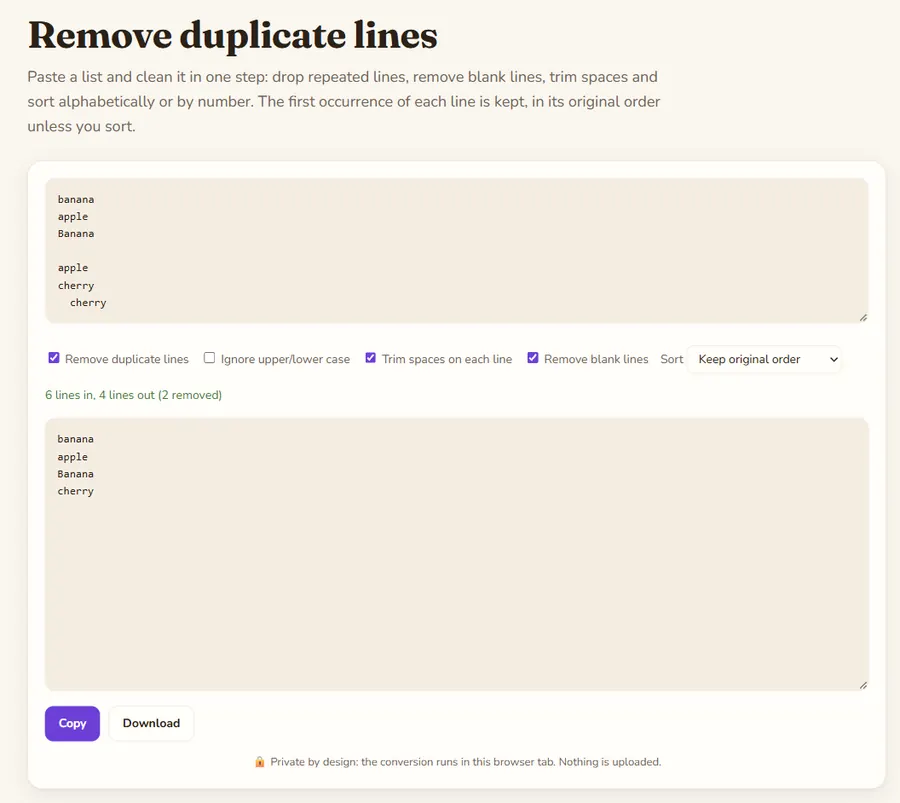
Paste a list and clean it in one step: drop repeated lines, remove blank lines, trim spaces and sort alphabetically or by number. The first occurrence of each line is kept, in its original order unless you sort.
Remove duplicate lines is a free online tool by Hack the Hydra. Remove duplicate lines, delete blank lines, trim spaces and sort a list A-Z, Z-A or numerically. Case-insensitive option. Private, runs in your browser.
Typical uses
Cleaning an email or keyword list copied from several sources, de-duplicating URLs before a crawl, tidying a list of SKUs, or sorting names. Everything happens line by line, so the tool works for any plain-text list, CSV column or log excerpt.
Which duplicate is kept
The first occurrence stays and later copies are removed, so your original order is preserved unless you pick a sort. With "Ignore upper/lower case" on, "Apple" and "apple" count as the same line and the first spelling is kept. Trim spaces first if lines differ only by leading or trailing spaces, which is the usual cause of duplicates that will not go away.
Sorting rules
A to Z uses natural ordering, so "item2" comes before "item10". Numeric sort reads the number at the start of each line; lines without a number count as 0.
Example
A list with repeated lines, with duplicate removal turned on. The first occurrence is kept, order unchanged.
Input
apple
banana
apple
cherry
banana
Output
apple
banana
cherry
How to use
- Type or paste your text in the box above.
- The result updates as you type; change the options to switch mode.
- Copy the result or download it.
FAQ
Does it upload my list?
No. Lines are processed in your browser, which makes it safe for customer lists and other private data.
How many lines can it handle?
Hundreds of thousands of lines are fine on a modern computer. Very large pastes can make the tab slower.
Can I only sort, without removing duplicates?
Yes. Untick "Remove duplicate lines" and choose a sort order.
Why are two identical-looking lines not merged?
They probably differ by an invisible trailing space or by case. Tick "Trim spaces" and "Ignore upper/lower case".
 Hack the Hydra