 Hack the Hydra
Key facts
| Input formats | PDF files, at least two (password-protected PDFs are not opened) |
|---|---|
| Size limit | 100 MB per file (checked in the browser) |
| Where it runs | In your browser with pdf-lib 1.17.1; the file is not uploaded (the library itself is downloaded from a CDN) |
| Cost | Free, no sign-up |
| Output | One PDF (merged.pdf) with all pages of the files, one after the other |
How to merge PDFs in order
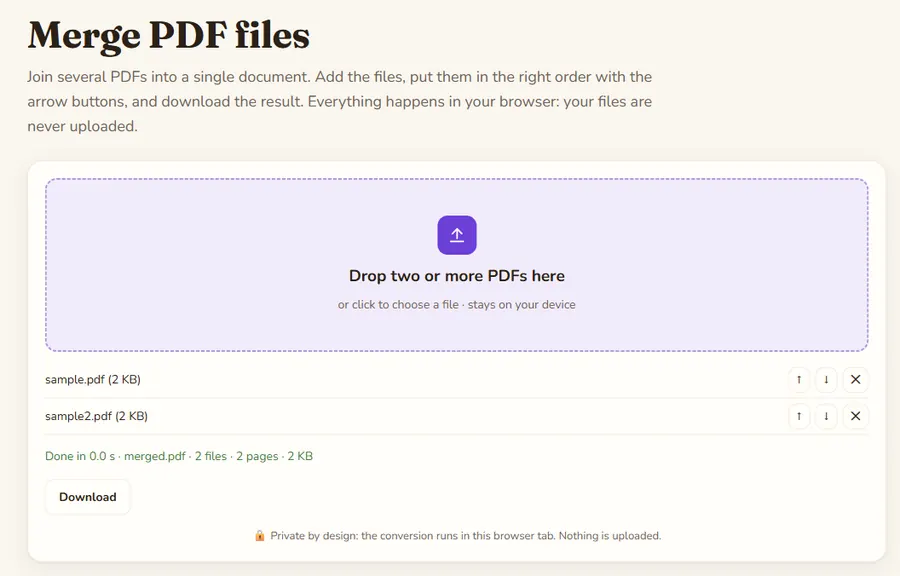
Drop all the files at once or add them in several rounds. Each file appears in a list below the drop zone; use the up and down arrows to change the order and the cross to remove one. The merged PDF is rebuilt every time you change the list, and pages appear in exactly the order of the list.
What is kept
Pages are copied as they are, so text stays selectable, fonts and images keep their quality, and page sizes can differ between files. Bookmarks, form fields and links to other pages of the original files are not carried over, which is the usual trade-off of a lightweight merge.
Why merge locally?
Contracts, invoices and ID scans are exactly the files you should not upload to a random server. The merge runs with the open-source pdf-lib library inside this tab, so the documents never leave your computer, and it works even with a slow connection once the page has loaded.