 Hack the Hydra
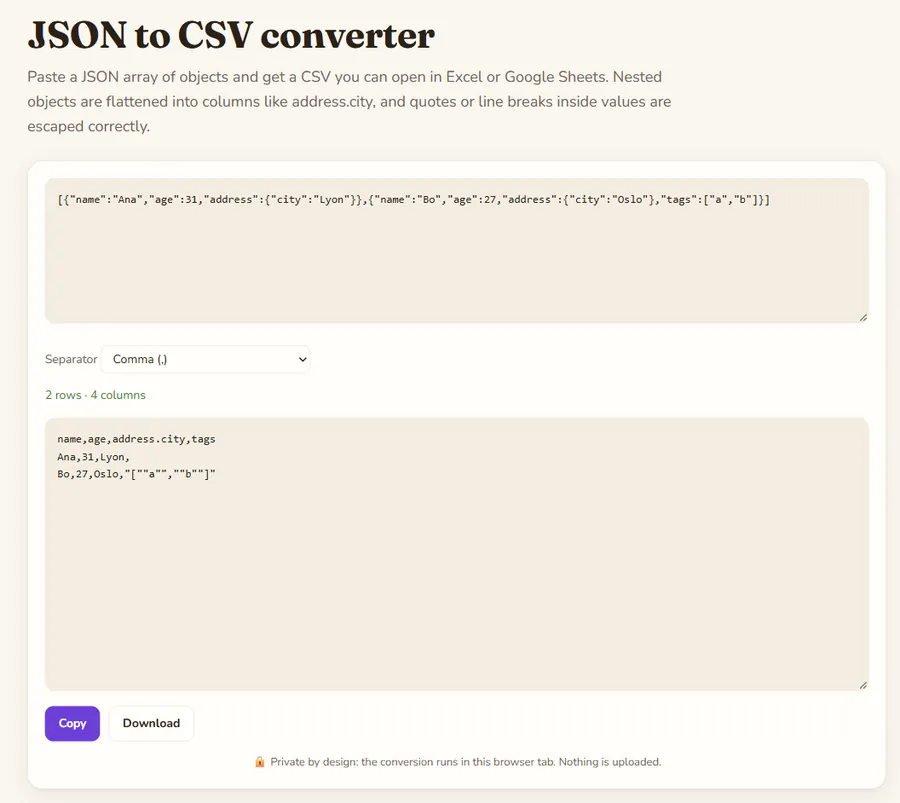
How the conversion works
The tool first collects every key found in any object, so rows with missing fields still line up under the right column. Nested objects are flattened with dots: {"address":{"city":"Lyon"}} becomes a column named address.city. Arrays inside a value are kept as JSON text in one cell, because there is no single correct way to spread a list over columns.
Opening the result in Excel
In many European locales Excel expects a semicolon instead of a comma. If your file opens as a single column, choose the semicolon separator and convert again. Values containing the separator, quotes or line breaks are wrapped in double quotes and inner quotes are doubled, as RFC 4180 describes.
What input is accepted
A JSON array of objects is the normal case. A single object becomes one row, and an object that wraps an array (such as {"data":[...]}) uses that array. For the opposite direction see the CSV to JSON tool.
Example
An array of JSON objects becomes a CSV with one column per key.
Input
[{"name":"Ada","city":"London"},{"name":"Linus","city":"Helsinki"}]Output
name,city
Ada,London
Linus,Helsinki