 Hack the Hydra
Syntax and flags
The tester uses the JavaScript regular expression engine of your browser, the same one as Node.js and most front-end code. The g flag is always added so that every match is listed. Add i for case-insensitive, m so that ^ and $ match at each line, s so that . also matches newlines, and u for full Unicode. Named groups (?<name>...) and lookbehind (?<=...) are supported.
Reading the result
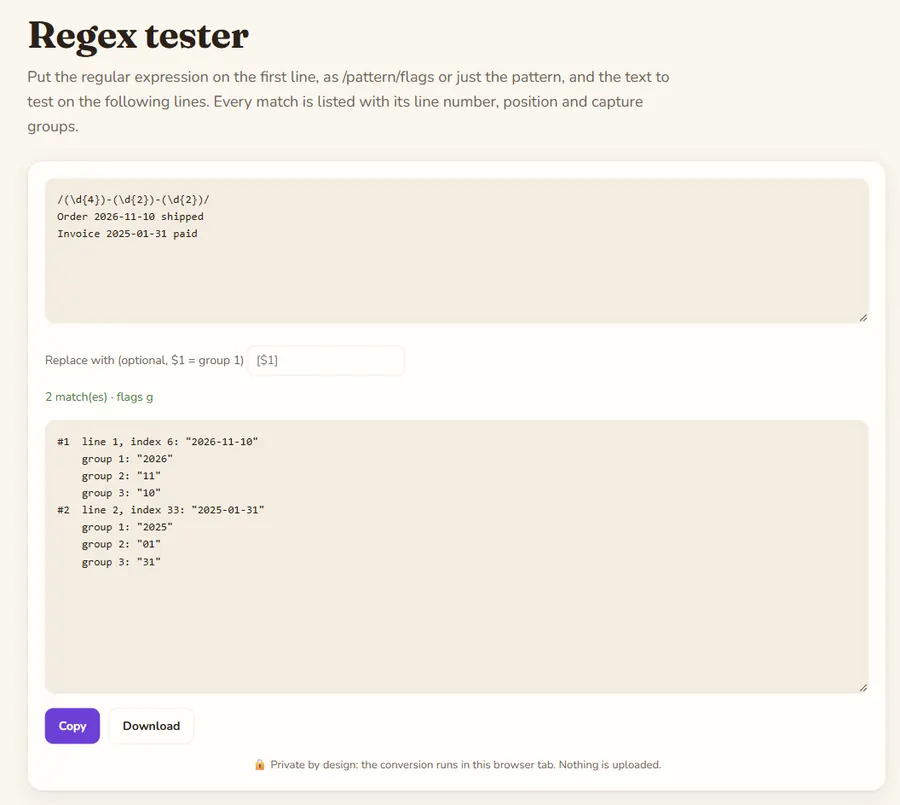
Each match shows its number, the line it starts on, its character index in the text and the matched text in quotes, so spaces and empty matches are visible. Capture groups follow, numbered from 1; a group that took part in no match shows "(not matched)". Results stop after 500 matches to keep the page responsive.
Replace preview
Type a replacement to see the whole text after replace. Use $1, $2 for numbered groups, $<name> for named groups and $& for the whole match. Other languages (Python, PCRE, Java) share most of this syntax, but details differ, for example named groups are written (?P<name>...) in Python.
Example
Finding ISO dates with three capture groups, then reformatting them with the replacement $3/$2/$1.
Input
/(\d{4})-(\d{2})-(\d{2})/
Order 2026-11-10 shipped
Invoice 2025-01-31 paid
Output
#1  line 1, index 6: "2026-11-10"
    group 1: "2026"
    group 2: "11"
    group 3: "10"
#2  line 2, index 33: "2025-01-31"
    group 1: "2025"
    group 2: "01"
    group 3: "31"

After replace:
Order 10/11/2026 shipped
Invoice 31/01/2025 paid