Hack the Hydra

Hash generator (SHA-256, SHA-1, SHA-512)

Type or paste text to get its SHA-256, SHA-1, SHA-384 and SHA-512 hashes instantly. Hash the whole text or every line separately. The hashing uses your browser's built-in Web Crypto API: nothing is sent anywhere.

🔒 Private by design: the conversion runs in this browser tab. Nothing is uploaded.

Hash generator (SHA-256, SHA-1, SHA-512) is a free online tool by Hack the Hydra. Generate SHA-256, SHA-1, SHA-384 and SHA-512 hashes of any text, in hex or Base64, one line or the whole text. Free, private, computed in your browser.

100% freeNo upload: runs in your browserNo sign-up
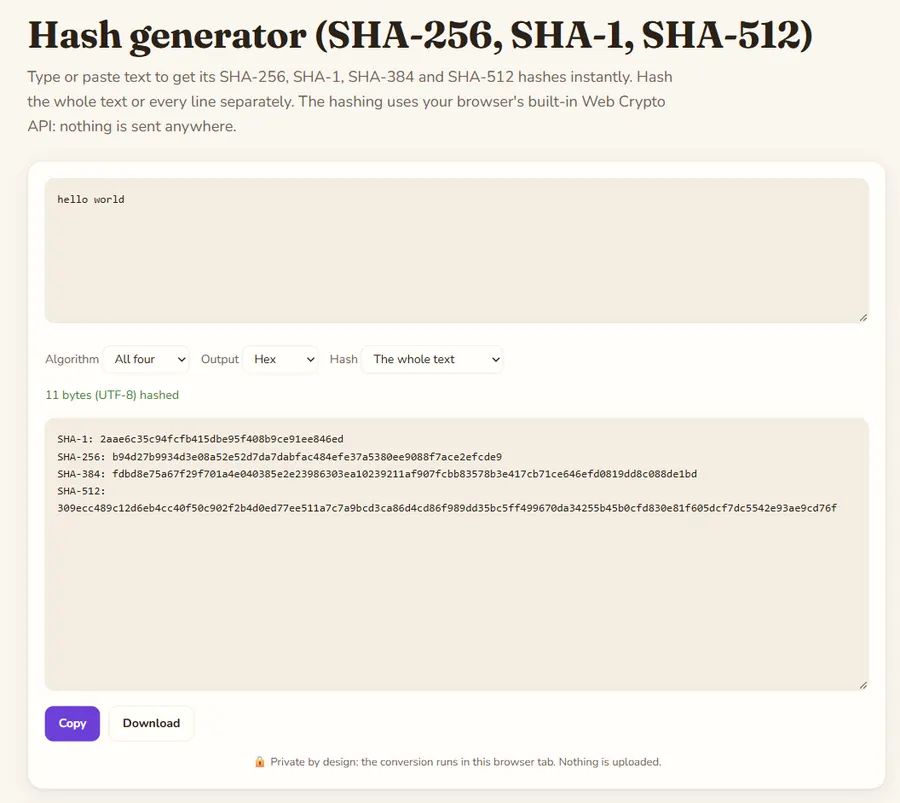
Hash generator (SHA-256, SHA-1, SHA-512): the tool with a sample file converted

What a hash is

A cryptographic hash turns any text into a fixed-length fingerprint. The same input always gives the same hash, and changing a single character changes it completely. SHA-256 gives 64 hex characters, SHA-1 40, SHA-384 96 and SHA-512 128. You cannot recover the text from the hash; you can only check whether another text produces the same one.

Exact bytes matter

The text is encoded as UTF-8 before hashing, which is what most programs and command-line tools do. A trailing space or a final newline gives a different hash: "echo hello | sha256sum" hashes "hello" plus a newline, while "printf hello | sha256sum" hashes only "hello". Use "Each line separately" to hash a list of values, such as e-mail addresses for an ad platform audience upload.

Which algorithm to use

Use SHA-256 for checksums, API signatures and anything new. SHA-1 is broken for collision resistance and kept here only for old systems such as Git object IDs. Do not store passwords as a plain SHA hash: use a slow password hash like bcrypt, scrypt or Argon2 with a salt. MD5 is not offered because browsers do not provide it and it should not be used for security.

Example

The SHA-1 and SHA-256 digests of the word "hello" (hex). These are standard test values you can compare with any other tool.

Input

hello

Output

SHA-1: aaf4c61ddcc5e8a2dabede0f3b482cd9aea9434d
SHA-256: 2cf24dba5fb0a30e26e83b2ac5b9e29e1b161e5c1fa7425e73043362938b9824

How to use

  1. Type or paste the text in the box above.
  2. Pick an algorithm, hex or Base64 output, and whether to hash each line on its own.
  3. Copy the hash or download the results.

FAQ

Is my text sent to a server?

No. The hash is computed with the Web Crypto API inside your browser tab.

Why is my hash different from another tool?

Usually a newline or space at the end, or a different text encoding. This tool hashes the exact UTF-8 bytes you typed.

Can a SHA-256 hash be decrypted?

No. Hashing is one-way. Short or common inputs can be guessed by trying many values, which is why passwords need a salted slow hash.

Can I hash a file?

This page hashes text. For files, use sha256sum on Linux, shasum -a 256 on macOS or certutil -hashfile on Windows.

What is Base64 output?

The same hash bytes written in Base64 instead of hexadecimal. It is shorter and is what some APIs and Subresource Integrity attributes expect.

Guides

More free converters

PDF to Markdown converterOCR PDF: scanned PDF to textImage to text (OCR)Word (DOCX) to Markdown converterExcel & CSV to Markdown tablesHTML to Markdown converterPowerPoint (PPTX) to Markdown converterJSON to Markdown tablePDF to text converterExcel to JSON converterMarkdown to HTML converterMerge PDF filesSplit PDF: extract pagesRotate PDFJPG to PDF converterPDF to JPG converterImage converter: PNG, JPG, WebPCompress image: JPG and WebPQR code generatorWord counterCase converterJSON formatter and validatorBase64 encode and decodeURL encoder and decoderUUID v4 generatorStrong password generatorLorem ipsum generatorJSON to CSV converterRemove duplicate linesUnix timestamp converterJSON to YAML converterText diff checkerImage resizerPercentage calculatorAge calculatorColor converter: HEX, RGB, HSLDays between dates calculatorYAML to JSON converterUnit converterJWT decoderBinary, hex, decimal and octal converterRoman numeral converterRegex testerCron expression explainerPDF to Markdown for ChatGPTPDF to Markdown for ClaudePDF to Markdown for RAG pipelinesPDF to Markdown for ObsidianPDF to Notion (via Markdown)Screenshot to textFrench OCR: image to textCSV to Markdown tableGoogle Docs to MarkdownJPG / JPEG to text (OCR)PNG to text (OCR)CSV to JSON converterPNG to JPG converterJPG to PNG converterWebP to PNG converter