 Hack the Hydra
How to convert a PDF to JPG
Open the PDF to JPG tool, drop your PDF, pick a resolution (150 DPI is a good default), and download. A one-page PDF gives one .jpg; a longer PDF gives a zip with one image per page. Everything happens in your browser.
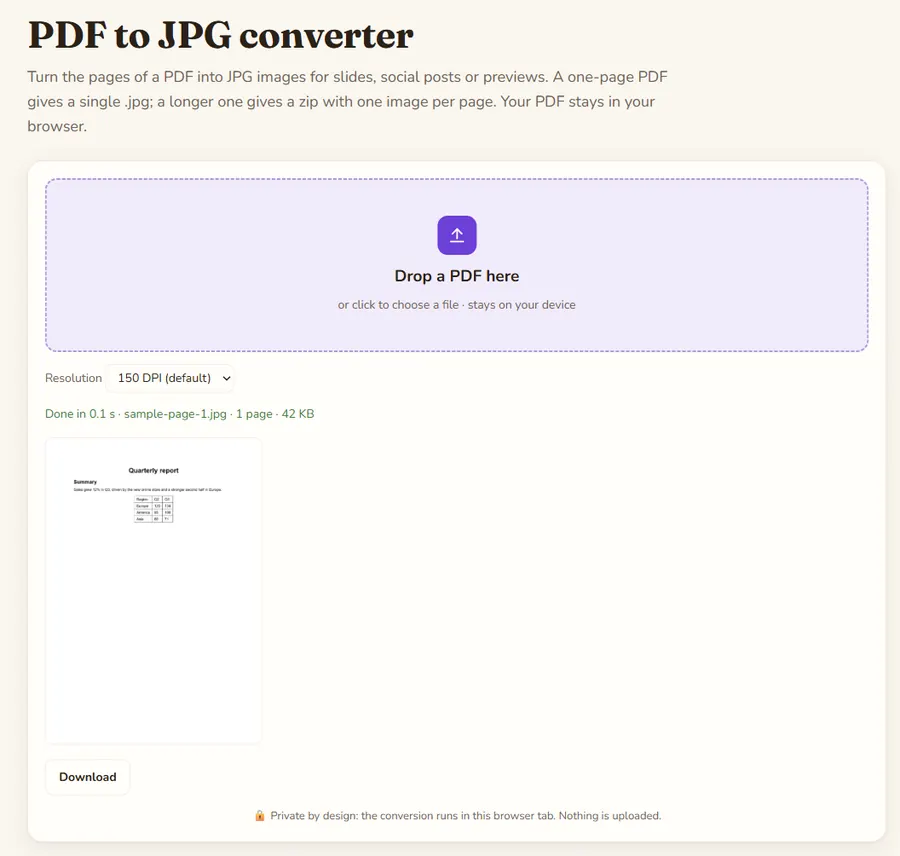
Steps
- Open PDF to JPG.
- Drop your PDF or click to choose it.
- Pick the resolution: 96 DPI, 150 DPI, 200 DPI or 300 DPI.
- Wait a moment while each page is drawn. Long documents take longer.
- Download the result: a single .jpg for a one-page PDF, otherwise a zip.
Which resolution should you choose?
DPI means dots per inch, and it decides how many pixels each page gets. An A4 or Letter page at 150 DPI is about 1240 by 1750 pixels, which is plenty for slides and social posts.
- 96 DPI: small thumbnails and previews.
- 150 DPI: screens, presentations, email. The default.
- 200 DPI: sharper text on large monitors.
- 300 DPI: images that will be printed. Files are noticeably bigger and slower to produce.
How are the files named?
Pages are named after your PDF: report-page-1.jpg, report-page-2.jpg, and so on. Several pages come in a single zip so your browser asks for one download, not twenty.
Things to know
- JPG has no transparency, so pages are drawn on a white background.
- The result is a picture of the page. The text is no longer selectable or searchable.
- Large pages (posters, maps) at 300 DPI produce very large images; try 150 DPI first.
What if you actually need the text?
People often convert to JPG when what they want is the words. If the PDF has real text, PDF to Text gives you clean, copyable text instantly. If the PDF is a scan, OCR PDF reads the text from each page image.
Common uses
- Slides: insert a PDF page as a picture in a presentation.
- Social posts: share a flyer or a page of a report as an image.
- Forms that only accept images: some upload forms refuse PDFs but accept JPG.
- Previews: a quick thumbnail of the first page for a catalog.
If an upload form has a size limit, convert at 96 or 150 DPI, then reduce further with Compress Image.
Tip: if only one page matters, convert once at 150 DPI and keep just that image; there is no need to rerun the tool for each page. Open the first image at full size to check that small text is still readable before you convert a long document at a higher resolution.
Privacy
Privacy: the file is processed in your browser tab and is not uploaded to a server. Once the page has loaded you can even disconnect from the internet and it keeps working.
FAQ
How do I save one page of a PDF as a JPG?
Convert the file, then take the page you need from the zip. For a single-page PDF you get the .jpg directly.
Which resolution should I choose?
150 DPI for screens and presentations, 300 DPI if you will print the images.
Why is the text in the JPG not selectable?
A JPG is a picture. Use PDF to Text or OCR PDF if you need the words.
Is my PDF uploaded?
No. The pages are drawn in your browser and the file stays on your computer.
Last updated: November 2026. Facts about third-party tools come from their public repositories and documentation. Check licenses before commercial use.