 Hack the Hydra
Free PDF to Markdown converters compared
Short answer: if you do not want to install anything and care about privacy, use an in-browser converter (the file never leaves your computer). If you are comfortable with Python, Docling and MarkItDown are free and MIT-licensed. Many online converters upload your file to their servers and impose daily limits, so check their privacy policy before using them for confidential documents.
Free PDF to Markdown converter →
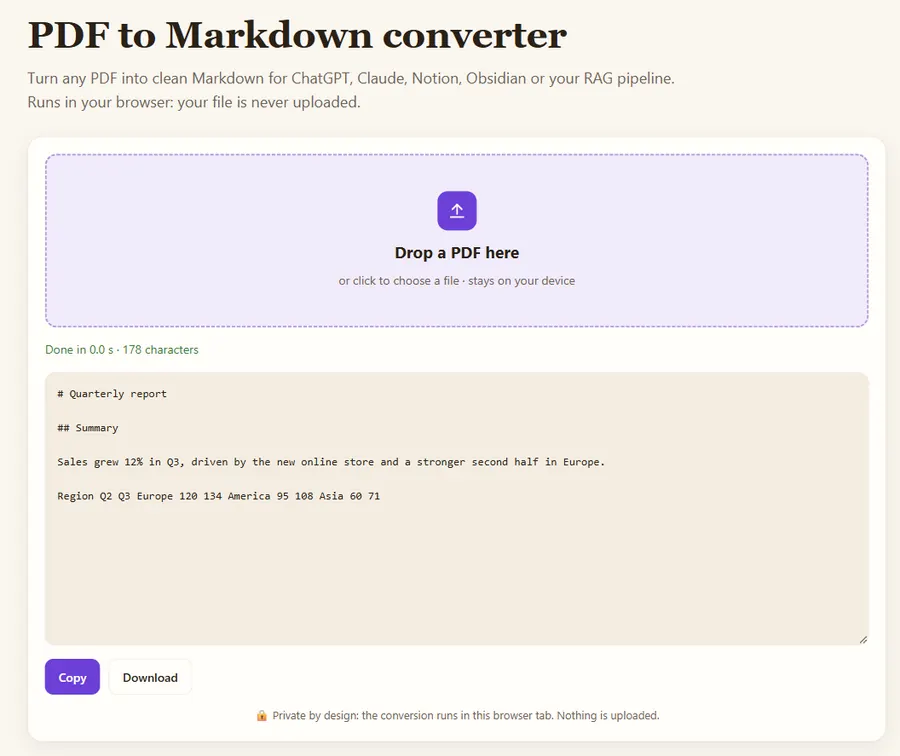
Three families of tools
| Type | Examples | Privacy | Limits | Setup |
|---|---|---|---|---|
| In-browser converter | Hack the Hydra | File stays on your device | None | None |
| Upload-based website | Various online converters | File sent to a server | Often daily quotas or sign-up | None |
| Open-source library | Docling, MarkItDown, Marker, PyMuPDF4LLM | Local | None | Python, sometimes a GPU |
Which free tool should you pick?
- One-off, confidential file: in-browser converter.
- Batch of hundreds of files, no infrastructure: a pay-per-use API.
- Self-hosted pipeline, complex layouts: Docling or Marker (check Marker’s license for commercial use).
More detail
See the full comparison with licenses, OCR and table support.
Side-by-side comparison
| Option | Install | File leaves your computer? | Scanned PDFs | Tables | Good for |
|---|---|---|---|---|---|
| In-browser converter (like ours) | No | No | With an OCR tool | Basic | Quick, private, one file at a time |
| MarkItDown (Python) | pip | No | No (text layer only) | Basic | Scripts, many formats |
| Docling (Python) | pip, heavier | No | Yes | Good | Complex layouts, batch jobs |
| Marker (Python, GPU helps) | pip + models | No | Yes | Good | Books, papers, maths |
| Upload-based websites | No | Yes | Varies | Varies | Only for non-confidential files |
Licenses and features change; check each project's page before relying on it for commercial work.
How do you test a converter on your own files?
- Pick three real PDFs: a simple text document, one with a table, and one scanned page.
- Convert each one with two candidate tools.
- Check the headings: are they marked with #, and in the right order?
- Check the table: are rows and columns aligned, or is it a run of words?
- Check reading order on a two-column page: does the text of column 2 appear after column 1, not interleaved line by line?
- For the scan, count obvious OCR errors in one paragraph.
Ten minutes of this tells you more than any review, because results depend heavily on how your PDFs were produced.
Privacy: what "free" can cost
A free online converter that uploads your file may keep it for a while, log it, or process it in another country. That is fine for a public brochure and a problem for a contract, a medical letter or an unreleased report. When the file is confidential, prefer a tool that runs locally: a Python library on your machine, or a converter that runs inside your browser tab, where the file is read from your disk and never sent anywhere.
What "free" includes on this site
The browser converters here have no account, no daily limit and no watermark, because the work runs on your own computer and costs us nothing per file. What they do not do: OCR inside the PDF to Markdown converter (use OCR PDF first for scans), real Markdown tables from PDF tables (the cell text is kept line by line) and batch processing of hundreds of files. Those three are what the paid API adds, billed per file, for people who need them.
FAQ
Is there a completely free PDF to Markdown converter without limits?
Yes: in-browser converters such as Hack the Hydra have no limits because the work runs on your own computer. Open-source libraries are also free if you can run Python.
Do online converters keep my files?
It depends on each service. Upload-based tools receive your file, so read their privacy policy. In-browser tools never receive it.
Which free option handles scanned PDFs?
Docling and Marker include OCR. In the browser, run an OCR tool on the scanned pages first, then convert.
Last updated: November 2026. Facts about third-party tools come from their public repositories and documentation. Check licenses before commercial use.